


Case study · Challenge Day 2
ShippedBusiness Brief Generator
Point it at a company's website → a branded, ready-to-read business brief.
- Firecrawl MCP
- Python
- Claude
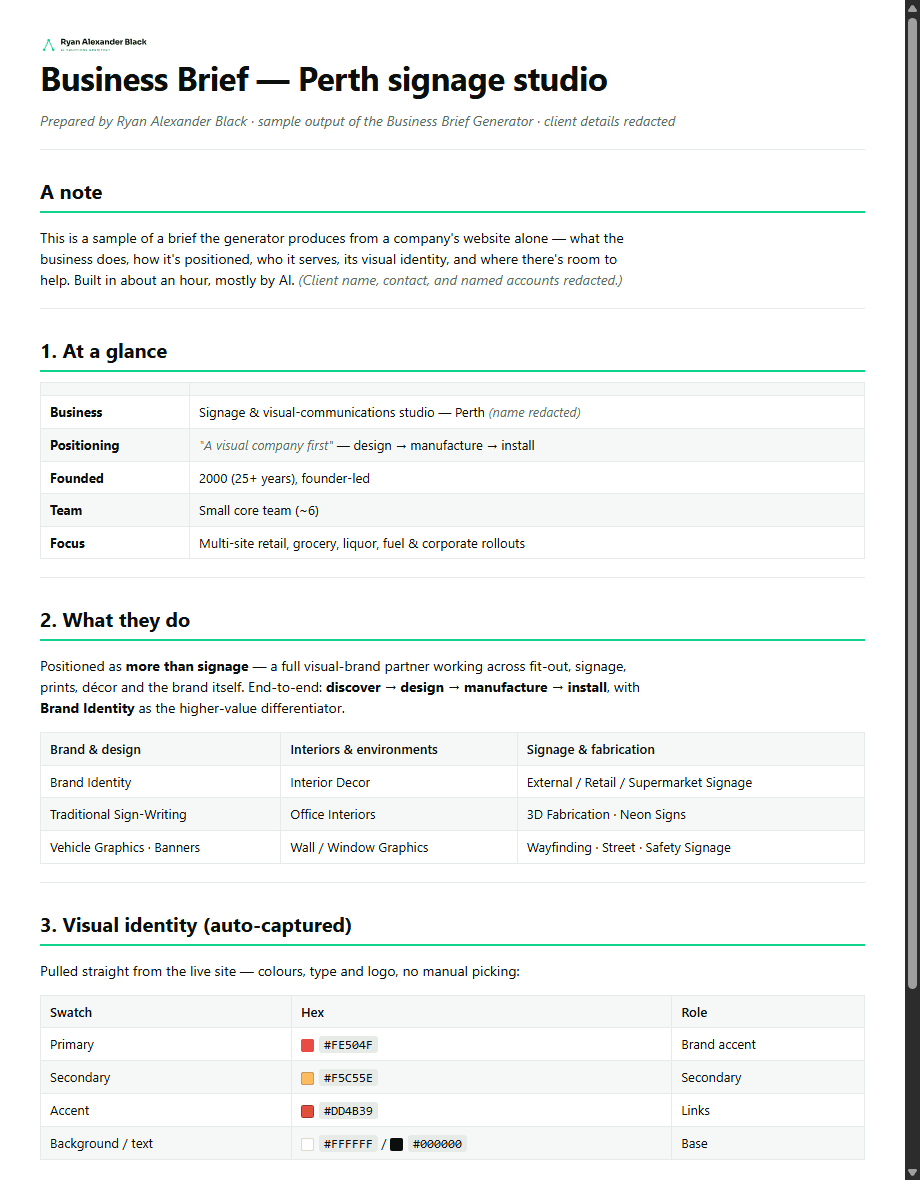
Walking into a meeting understanding a business takes real homework — what they do, how they're positioned, who they serve, and how they present. This does that homework from nothing but their website address: it reads the site, captures the brand, and hands back a complete, ready-to-read brief — rendered as a clean, branded PDF. Here's a real run (client details redacted):
The problem
Researching a business properly is slow, and most write-ups are either a shallow copy of the homepage or a wall of raw scraped text. The useful version is a read— what the business actually makes money on, how it's positioned, where the gaps are — and it needs to look like something you'd be happy to hand over.
The goal: give it one URLand get back a structured, accurate, nicely-presented brief — without inventing anything that isn't on the site.
Under the hood
How it's actually built. The plain version is above — everything from here down is the technical detail.
How it works
Six stages, each owned by whichever layer is right for the job — the read engine pulls the facts and the brand, the model does the synthesis, and code renders the document.
| Stage | How | Why |
|---|---|---|
| Map | Firecrawl maps the site → the real page list | find where the content actually lives (rarely the homepage) |
| Read | scrape home, about, services and work → markdown | the words: what they do, the story, the team, the clients |
| Brand | Firecrawl 'branding' extraction → colours, fonts, logo | the full visual identity, captured automatically — no manual picking |
| Capture | full-page screenshot + download the brand assets locally | a visual reference, saved so the brief is self-contained |
| Synthesise | LLM → a structured brief (positioning, clients, team, opportunities) | the read, not a data dump — patterns, gaps, and where to help |
| Render | code → a styled PDF via a headless browser | a clean, branded, send-ready document every time |
It captures the brand automatically
The part that makes the output feel finished: the visual identity is pulled straight from the live site — primary and secondary colours (as exact hex), the fonts, and the logo — with no manual picking. That palette in the preview above was extracted, not typed in. It means the brief can be styled in the right brand from the first pass.
Two outputs from one research pass
The research is captured once; the framing is a choice. The same underlying facts render as either of two documents:
Internal recon
A candid prep doc, neutral styling — for walking into a meeting or interview already knowing the business and where you'd add value.
Client-facing
A warm, first-person document you can hand to the business itself — opportunity-led and styled in your own brand, a deliverable that doubles as a demo of the work.
The tools
A read engine connected over MCP, plus small, reusable scripts — the deterministic execution layer of the WAT framework (Workflows · Agents · Tools).
Firecrawl MCPthe read engine — map / scrape / branding / screenshotmd_to_pdf.pyMarkdown → styled, brand-themed PDF (headless browser)json_to_csv.pystructured extracts → clean CSV (the sibling scraper tool)
Honest limits
It reads public pages only, at a reasonable rate, and never invents facts — anything not on the site simply isn't in the brief. Founding dates, client lists and claims are taken as the company states them, flagged to verify in conversation. It's a fast, deep starting understanding — not due diligence.
Want one run on your business?
Send me a URL and I'll talk you through what it pulls — and how the architecture fits together.